
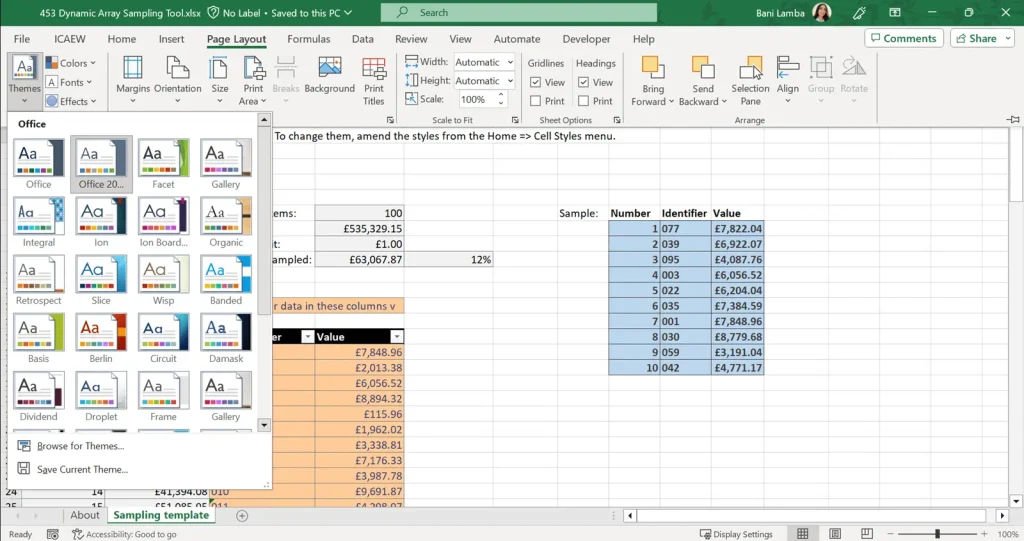
Microsoft Excel has become an indispensable tool in offices, classrooms, and homes worldwide. From tracking personal expenses to generating million-dollar financial models, its versatility knows almost no bounds. For anyone looking to master this powerhouse software, Excel practice sheet have emerged as one of the most effective learning resources available today. These structured worksheets go far beyond random exercises they deliberately incorporate real-world examples that mirror actual workplace and life scenarios, making learning both practical and immediately applicable.
The beauty of well-designed Excel practice sheet lies in their ability to transform abstract concepts into tangible, relatable tasks. Instead of forcing learners to memorize functions in isolation, these sheets present challenges drawn from finance, sales, marketing, education, project management, and everyday personal organization. This contextual approach not only accelerates skill acquisition but also builds genuine confidence, as users see exactly how Excel solves problems they’ll encounter outside the classroom.
Beginners Starting Their Excel Journey
Why New Users Thrive with Real-World Examples
Beginners often feel lost when faced with Excel’s ribbon-filled interface and endless function library. Practice sheets that use real-world examples immediately give context to every click and formula. Instead of typing meaningless numbers into cells, learners manage a fictional monthly budget, format a class attendance register, or organize a weekend trip itinerary. This instant relevance reduces intimidation and sparks curiosity from the very first exercise. Seeing how basic skills apply to familiar situations keeps motivation high.
Common Real-Life Scenarios in Beginner Sheets
Most beginner-focused practice sheets draw from everyday activities everyone understands. Users might calculate grocery expenses with SUM and AutoSum, format a personal fitness tracker with conditional formatting, or create a simple family event guest list using filters. These relatable datasets remove the fear of “breaking something important” while teaching navigation, data entry, and basic formulas simultaneously. The familiarity of the data makes technical lessons feel natural rather than forced.
How Context Builds Long-Term Retention
When learners work with scenarios they can personally relate to like planning birthday party costs or tracking allowance spending concepts stick longer. Real-world examples trigger emotional connections and practical understanding that abstract drills simply can’t match. A student who successfully budgets for a fictional phone purchase using IF functions is far more likely to remember and reuse that knowledge later. This contextual learning creates mental hooks that make future Excel tasks feel intuitive rather than foreign.
Students Enhancing Academic Performance
Bridging Classroom Theory with Practical Application
Academic courses in statistics, economics, business, and even biology increasingly require Excel proficiency. The best student practice sheets replicate actual coursework assignments using real research datasets, survey results, or economic indicators. A statistics student might analyze genuine exam scores from past semesters, while an environmental science major works with authentic temperature recordings. These examples show exactly how Excel turns raw academic data into meaningful insights and visualizations.
Real-World Examples Aligned with Specific Subjects
Practice sheets tailored for students frequently include discipline-specific scenarios that mirror university or high-school projects. Economics exercises might involve GDP data from different countries, biology sheets could feature population growth models of endangered species, and finance students often work with historical stock prices of real companies. This subject alignment ensures that time spent practicing directly reinforces classroom learning and upcoming assignments.
- Calculating descriptive statistics from actual World Bank development indicators
- Creating scatter plots using real climate change data from NASA
- Building break-even analysis models based on genuine small business cases
- Performing hypothesis testing on authentic medical trial results
- Generating correlation matrices from real psychological survey responses
Preparing for Research and Thesis Work
Many advanced student practice sheets include complete mini-projects that simulate undergraduate or postgraduate research requirements. Learners import real datasets from sources like Kaggle or government portals, clean them using Text-to-Column and Remove Duplicates, then produce publication-ready tables and charts. These comprehensive examples teach the entire data analysis workflow students will actually follow when writing dissertations or publishing papers.
Professionals Advancing Career Skills
Industry-Specific Scenarios That Mirror Daily Work
Professional-grade practice sheets are packed with scenarios lifted straight from real job descriptions. Finance professionals reconcile bank statements and build three-statement models, marketers analyze campaign performance across multiple channels, and operations managers optimize inventory using actual warehouse data. These exercises don’t just teach functions they replicate the exact deliverables expected in performance reviews and promotions.
Real Company Data (Anonymized) for Authentic Practice
High-quality professional resources often include lightly anonymized datasets from Fortune 500 companies or well-known startups. Users might forecast revenue for a disguised ride-sharing company, segment customers for an e-commerce giant, or calculate ROI for marketing campaigns that closely resemble those run by major brands. This exposure to enterprise-level complexity prepares professionals for immediate impact when they return to (or start) their jobs.
Advanced Real-World Challenges Professionals Face
The most valuable practice sheets go beyond basic functions to tackle genuine workplace pain points. Users learn to consolidate reports from multiple regional offices, automate monthly closing processes with Power Query, or build executive dashboards that refresh automatically. These scenarios force learners to combine multiple advanced tools exactly as they would under real deadlines and stakeholder pressure.
Job Seekers Preparing for Excel Assessments
Replicating Actual Interview Test Scenarios
Many companies now include timed Excel tests as part of their hiring process. The best practice sheets recreate these exact challenges using real assessment formats from consulting firms, banks, investment companies, and tech giants. Candidates practice everything from cleaning messy CRM exports to building dynamic financial models under realistic time constraints.
- Reconciling two mismatched vendor invoices from actual procurement data
- Building a fully dynamic sales commission calculator used by real SaaS companies
- Transforming poorly structured market research data into presentation-ready tables
- Creating sensitivity analysis models identical to private equity case studies
- Designing interactive dashboards that match those required by Big 4 firms
- Performing lookup-based data matching tasks common in investment banking tests
Case Studies Drawn from Real Business Situations
Top-tier practice resources include complete case studies based on actual business problems. Job seekers might optimize delivery routes for a logistics company facing rising fuel costs, price new products for a consumer goods manufacturer, or evaluate acquisition targets using public financial statements. These multi-step challenges develop the exact problem-solving approach interviewers want to see.
Building a Portfolio of Real-World Solutions
Savvy candidates use practice sheets to create polished work samples they can actually show during interviews. A completed inventory optimization model, a fully automated budgeting tool, or a customer segmentation dashboard all built from genuine business scenarios serve as powerful proof of capability. Many successful professionals credit these portfolio pieces with landing their dream roles.
Business Owners and Entrepreneurs
Practical Templates Based on Real Small Business Needs
Entrepreneur-focused practice sheets provide ready-to-use templates built from thousands of real small business datasets. Owners practice cash flow forecasting using actual revenue patterns from similar companies, track KPIs with dashboards that successful startups actually monitor, or manage payroll with models refined from real HR data. Every exercise delivers immediate value they can implement the same day.
Financial Modeling with Authentic Company Examples
Many sheets walk owners through building investor-ready models using anonymized data from businesses that successfully raised funding. Users learn to create detailed P&L forecasts, calculate burn rate and runway, or value their company using methods employed in real venture capital deals. These examples demystify the financial sophistication expected by banks and investors.
Operations and Growth Scenarios Entrepreneurs Face Daily
Real-world practice extends to operational excellence as well. Sheets might include optimizing pricing using actual customer purchase data, forecasting inventory needs based on genuine seasonal patterns, or analyzing marketing channel performance with real attribution data. Each scenario teaches decisions that directly impact profitability and growth.
Data Enthusiasts and Advanced Users
Working with Large, Real Public Datasets
Advanced practice sheets challenge enthusiasts with massive authentic datasets from sources like data.gov, WHO, World Bank, or open APIs. Users clean millions of rows of real healthcare records, analyze decades of stock market data, or combine multiple public sources to uncover hidden insights. These exercises push Excel to its limits using techniques actually employed by professional data analysts.
Complex Real-World Analytical Projects
The most sophisticated sheets present complete end-to-end analytical projects that mirror professional work. An enthusiast might investigate income inequality using genuine census data, predict election outcomes with historical polling information, or track disease spread using real epidemiological records. These projects combine Power Query, Power Pivot, DAX, and advanced visualization exactly as industry experts do.
- Merging World Bank economic indicators with UN population data for global analysis
- Building predictive models using historical sales data from publicly traded retailers
- Creating interactive geographic dashboards with real demographic and economic statistics
- Performing cohort analysis on genuine e-commerce customer behavior datasets
- Developing Monte Carlo simulations based on actual financial market volatility
- Constructing network analysis visualizations from real social media connection data
Contributing to Real Citizen Science and Open Projects
Many advanced learners use their skills on genuine open-science initiatives. Practice sheets prepare them for contributing to projects like tracking biodiversity with real observation data, analyzing open government spending records, or mapping climate change indicators worldwide. The line between practice and meaningful real-world contribution completely disappears.
Conclusion
Excel practice sheets have evolved far beyond generic exercises into powerful learning tools rich with authentic, real-world examples that span every industry and life situation imaginable. From the first steps of absolute beginners managing personal budgets to advanced analysts wrestling with million-row public datasets, these resources deliberately choose scenarios that users will actually encounter. This intentional focus on practical, immediately applicable challenges explains why learners who use real-world example sheets progress faster, retain more, and feel genuinely confident applying their skills.

